wlabel-launch
To develop with the wlabel, you first need to configure it in the devmode-vars.json file.
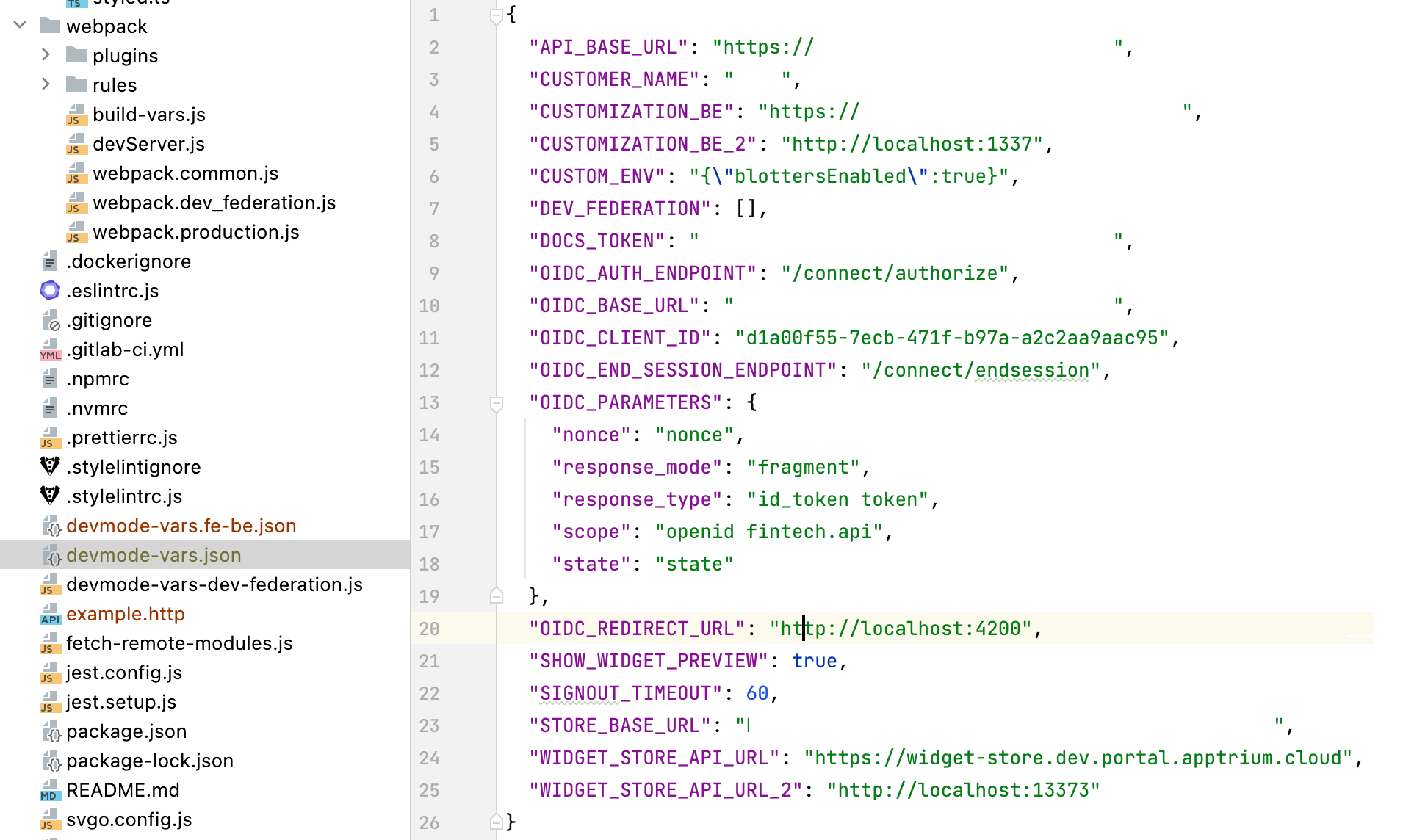
The list of widgets in the menu at wlabellaunch is fixed in the filefetch-remote-modules.js`, however, it's a temporary solution.
To load the list from the Widget Store, it is necessary to specify DOCS_TOKEN from the devmode-vars.json file.
If DOCS_TOKEN is missing, subsequently wlabel pulls the list of widgets from the given fetch-remote-modules.js file.
To start wlabel you need to go to the wlabel repository and from the terminal use the next command to launch it:
Next, you will see the menu with the list of locally running widgets that can be debugged.
In case, without debugging widgets or extensions it is necessary to remove all of them. The navigation is very simple with arrows and a spacebar on/off switcher. If the widget is not selected, it will be launched from the Widget Store.
Next, you can use https://localhost:4200 and check that all widgets are running.
Also, it is possible to launch a particular widget locally by relaunching the npm run start_federation command and using the space bar to select the widget you want to be launched locally, e.g., the Pie Chart.
Wlabel will run all widgets from the Widget Store while the Pie Chart widget is supposed to run locally.
Check this widget in the browser inspector displays some errors and the widget's id, for local launching, it is necessary directly to go to the widget repository and launch it locally via the command:
npm run start_federation.
After we have launched our widget, refresh the page of our widget and check if it works. In this case, there is no debugging possible because wlabel is working with straightforward API.
There's also a development mode for companions/extensions. The principle of work is the same as with widgets, it is possible for local development or through wlabel.