Leveraging APIs in Widgets
When working with our platform, you have two primary methods for retrieving data from an endpoint:
Integrating with 3rd Party APIs
Integrating with third-party APIs can sometimes be challenging, especially when it comes to authorization. However, our httpClient simplifies this process by automatically handling the JWT Token obtained from authorization. If you need to use your own token for authentication, you can easily do so:
const response = httpClient('API_URL', {
  traceId: 'TRACE_ID_STRING',
  token: 'YOUR_TOKEN',
})
Current vendors are implementing the following two solutions for integrating with third-party APIs:
-
Use Public APIs without Authorization: In cases where the third-party API doesn't require authorization, you can use it as-is.
-
Use Our JWT Token: You can retrieve and validate the JWT Token provided by our
httpClienton your own, giving you full control over the authentication process.
Using the httpClient in Widgets with external API
const thirdPartyAPI_Url = 'https://jsonplaceholder.typicode.com'
const easyApiCall = async () => {
  const response = await httpClient(`${thirdPartyAPI_Url}/todos/2`, {
    method: 'get',
    traceId: '123',
    params: {
      queryParams: {
        postId: '1',
      },
    },
  })
  console.log(response)
}
easyApiCall()
Our httpClient offers a simple and powerful way to access external data. It is passed as a prop to all widgets, making it easy to fetch data without worrying about the complexities of authorization. The httpClient also allows for customization, ensuring you get the data you need for your widgets to function properly.
Using httpClient through Widget Settings
In your widget settings, you'll find an API-related configuration section where you can specify the API URL necessary for your widget to work. You can even include system settings or system keys alongside the URL for added flexibility.
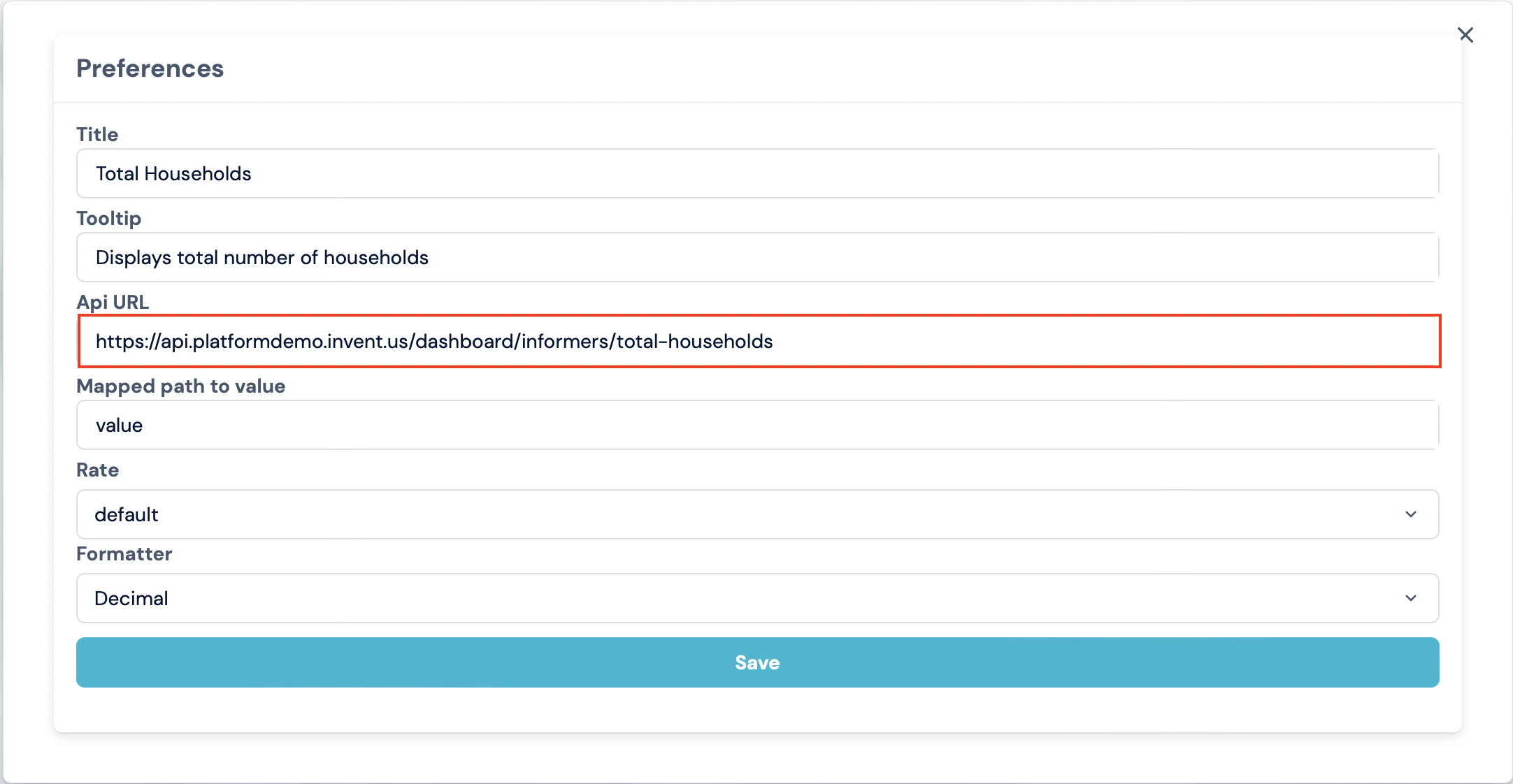
If you prefer to use your own httpClient or other delivery methods, you are free to do so.
Leveraging WebSocket
When you require bidirectional communication, WebSocket is the way to go. This is particularly useful for scenarios like real-time notifications or receiving messages from queues. While our platform doesn't natively provide WebSocket support, you can extend its capabilities using Extensions.
WebSocket functionality is facilitated through the bff-ws-companion-ext, which in turn utilizes subscribe and unsubscribe methods for smooth interaction.