Clone the repository
Now, let's get our project repository onto our local machine.
Steps:
-
Go to the new repository in GitLab.
-
Click the Code dropdown button and copy the Clone with SSH URL.
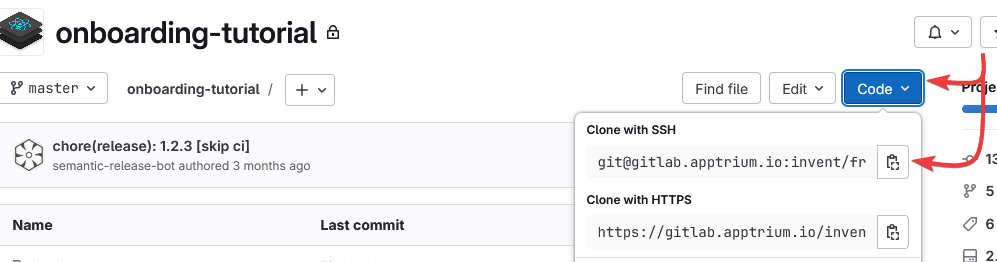
TIP: Why SSH? Using SSH allows you to push and pull code without needing to enter your credentials every time.
-
Open the terminal and run:
git clone <copied_url>TIP: This command downloads the entire project from GitLab to your local environment.
-
Navigate into the new project folder:
cd <your_project_folder> -
Install the project’s dependencies:
npm i