Proxy Login Component
The ProxyLogin component is designed to facilitate OAuth authentication with various providers within a widget. This documentation provides a comprehensive guide on how to integrate and use ProxyLogin alongside the useAuth hook in your project.
Micro app examples: Outlook Calendar, Redtail Notes etc.
End-User flow
The Login widget will display the Micro app if the user is already authenticated in the desired integration. Here the Micro app is responsible for loading the content and providing business logic for the end-user.
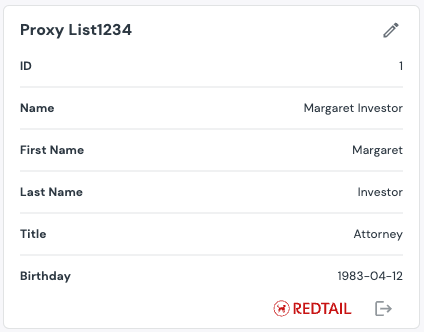
If the user is not authenticated the Connect button shows up.

Clicking on this button will open a modal window with an authentication form.
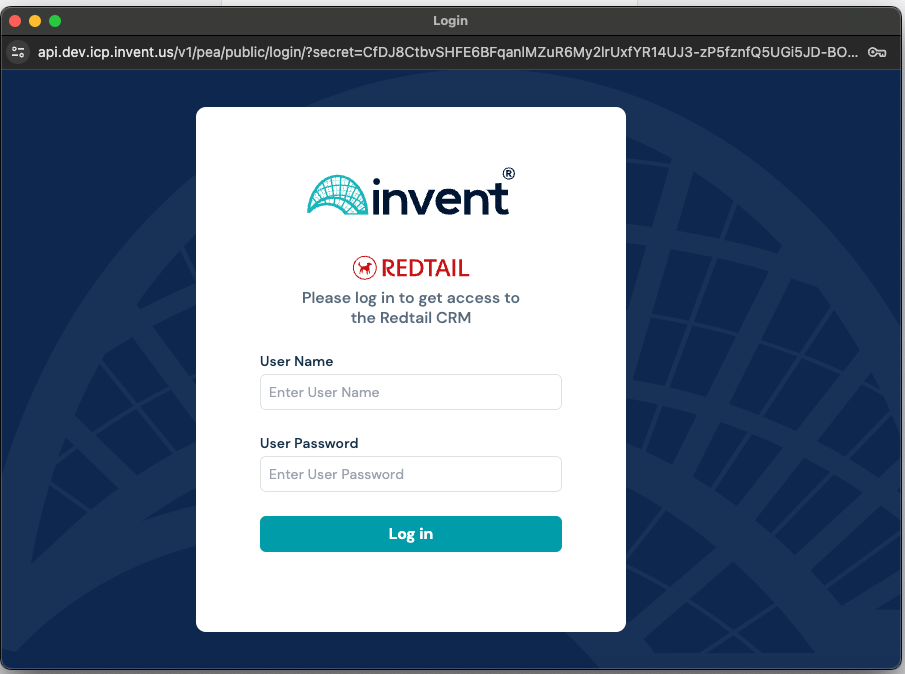
After the user authenticates, the modal window will close and the Login component will be replaced to the Micro app.
Installation
To get started, you need to include the @invent/wl-ui-kit library in your widget.
npm install @invent/wl-ui-kit
Usage
-
Import Necessary Modules
First, import the
useAuthhook and theProxyLogincomponent from the library:import { useAuth, ProxyLogin } from "@invent/wl-ui-kit"; -
Integrate the useAuth Hook
Use the useAuth hook to check the authentication status with the desired provider:
const {isLoggedIn,setIsLoggedIn,config,logout,availableProviders,error,} = useAuth({ httpClient, provider, authUrl, instanceName }); -
Render the ProxyLogin Component If the user is not authenticated with the selected provider, render the
ProxyLogincomponent by passinghttpClient,setIsLoggedIn, and config fetched from the hook. Otherwise, render the main widget:if (!isLoggedIn) {return (<ProxyLoginhttpClient={httpClient}setIsLoggedIn={setIsLoggedIn}config={config}error={error}/>);}return <MyWidget />;
Querying 3-rd party service from the widget
Getting familiar with API and required API data is a must before proceeding with this section.
Firstly you need to implement login functionality in your widget. This can be done using the ProxyLogin component as described in the section above.
Interaction with third party services is done through the YARP Proxy API. Request will be proxied to the third party service endpoint defined in the PEA API. The request looks like this:
const yarp_proxy_api_url = "...";
const apiCall = async (entityId: string) => {
  const response = await httpClient(
    `${yarp_proxy_api_url}/third_party_endpoint/entities`,
    {
      method: "get",
      traceId: "provide trace id",
      params: {
        queryParams: {
          entityId: entityId,
        },
      },
    }
  );
  console.log(response);
};
apiCall(id);
For requests to a third party service, it is necessary to know the pass-through identifier of the entities available to the current user. This identifier can be obtained using the DAP API:
const dap_api_url = "...";
const entityType = "...";
const entityIdType = "...";
const entityId = "...";
const apiCall = async () => {
  const response = await httpClient(`${dap_api_url}/${entityType}/origins`, {
    method: "get",
    traceId: "provide trace id",
    params: {
      queryParams: {
        entityIdType: entityId,
      },
    },
  });
  console.log(response);
};
apiCall();
Interface for /origins endpoint:
interface Origin {
  sourceCode: string;
  originalAppId: string;
  originalAppTitle: string;
  originalAccountId: string;
  externalConfigurationId: string; // <-- pass-through identifier
  masterAccountIds: string[];
  firmId: string;
}
Full example:
const dap_api_url = "...";
const entityType = "...";
const entityIdType = "...";
const entityId = "...";
const getEntitiesSource = async () => {
  const response = await httpClient(`${dap_api_url}/${entityType}/origins`, {
    method: "get",
    traceId: "provide trace id",
    params: {
      queryParams: {
        entityIdType: entityId,
      },
    },
  });
  return response;
};

const yarp_proxy_api_url = "...";
const getEntity = async (entityId: string) => {
  const response = await httpClient(
    `${yarp_proxy_api_url}/third_party_endpoint/entities`,
    {
      method: "get",
      traceId: "provide trace id",
      params: {
        queryParams: {
          entityId: entityId,
        },
      },
    }
  );
  return response;
};

const apiCall = async () => {
  const sourcesResponse = await getEntitiesSource();
  const entity = await getEntity(sourcesResponse.data.externalConfigurationId);
  console.log(entity);
};
apiCall(id);