System Overview
Explore a simplified overview of the Experience Builder ecosystem architecture, which consists of the following main elements:
- Host Application
- Widget Static Data Storage and Widget Store
- BfF and Extension BE
- IDP
The API backend part is represented as separated structural units and not reviewed within this scheme.
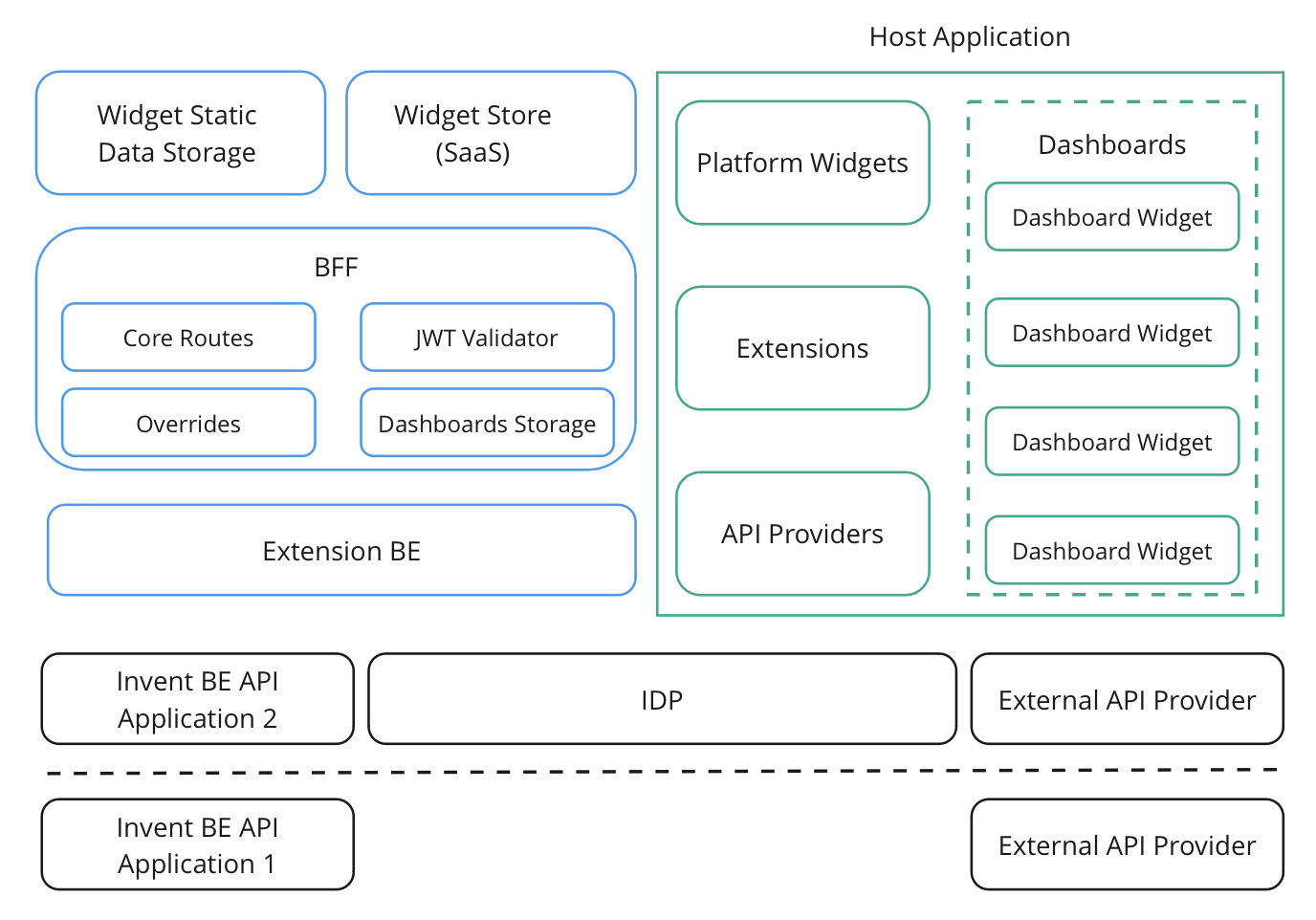
Host Application
Host Application is the visual side of the Experience Builder ecosystem. It is responsible for launching widgets in the client's browser, allowing for a greater level of customization within the platform.
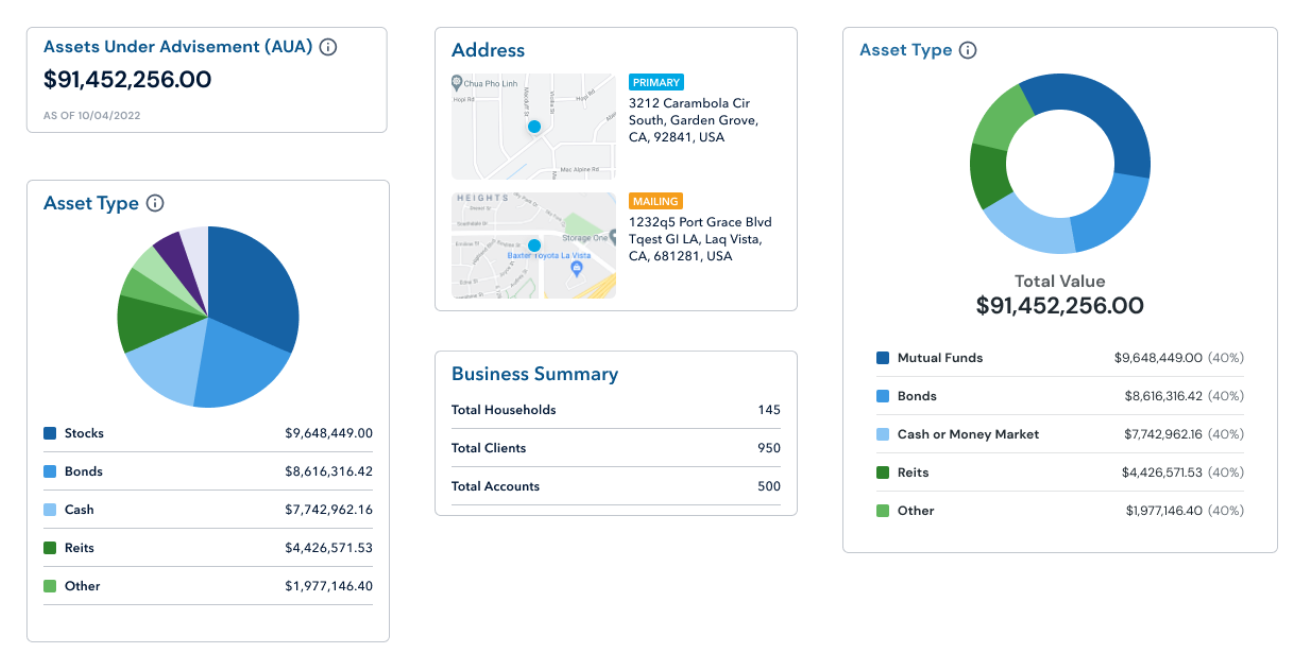
The Host Application has a generalized view that is not tied to any specific vendor, and is the same for all clients regardless of theme or design. This standard build is provided to all clients, with customization being set up later.
The Host Application consists of the following main elements:
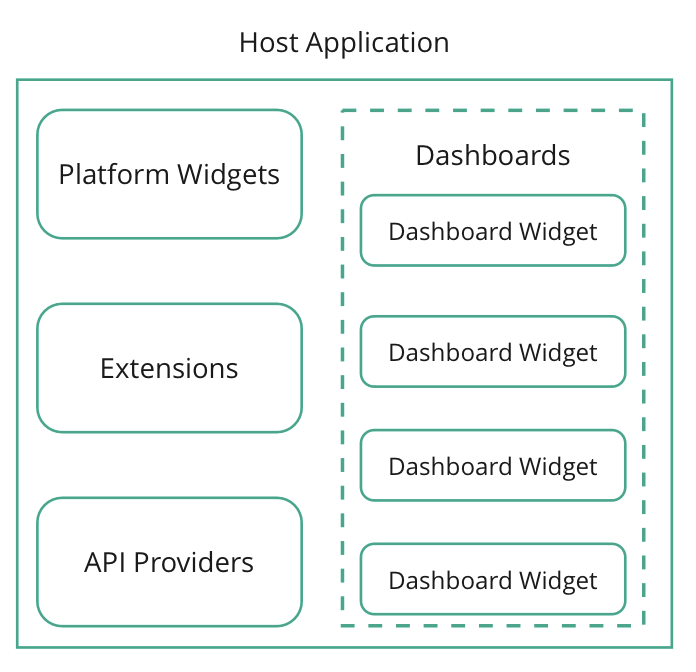
Dashboards and Dashboards Widget
The Dashboards provide the basic user experience flow. Here, an administrator or user can create a type of widget known as Dashboard widgets, as well as pages with widgets. These Dashboards are stored within BfF (explained below).
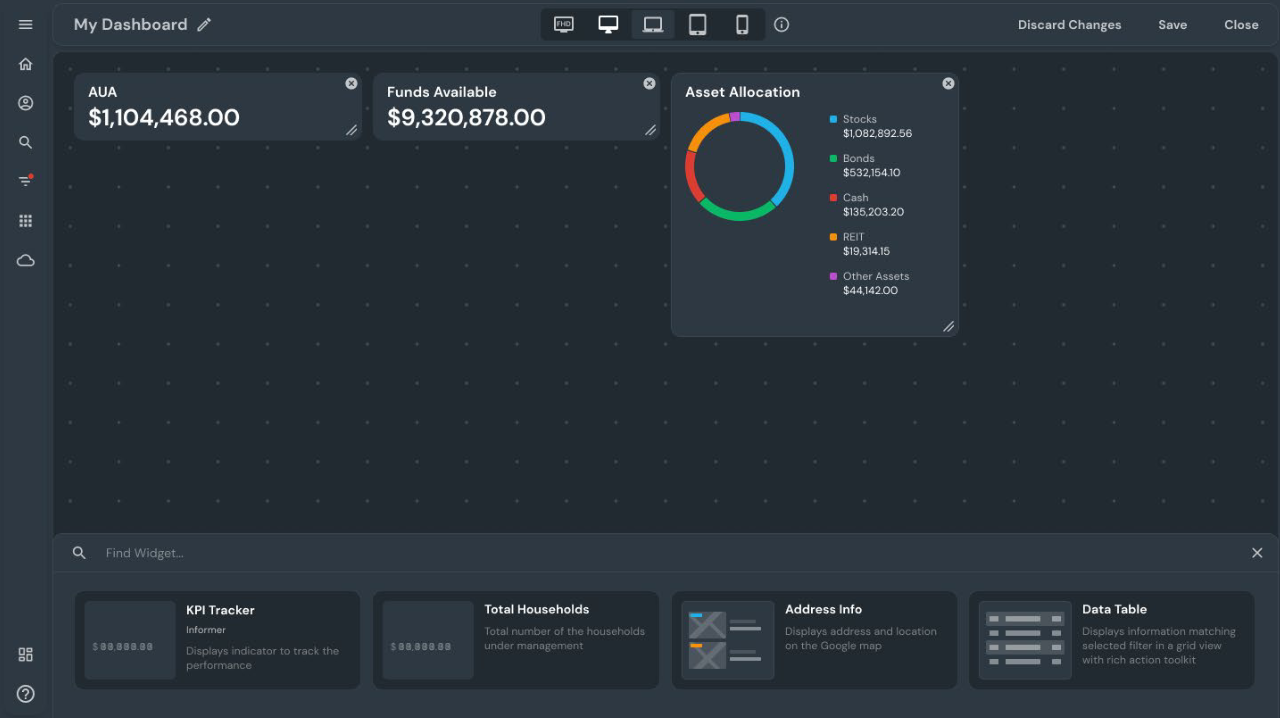
Dashboard Widgets are a special type of widget that make up the main part of a business app. They are single SPAs, such as a tax analysis widget or a currency exchange rate widget.
Users can create a functioning profile by customizing their Dashboards to meet their needs. Each widget is a Single Page Application (SPA) that takes its context from the Host Application. Widgets can interact with one another through a shared state, utilize the theme object to create special branding, and communicate with other Dashboards through hyperlinks. Dashboards can contain a variety of different widgets or only widgets of one type.
Platform Widgets
A Platform widget is any structural component outside of the Dashboards space. Platform widget can manage navigation within the Experience Builder and set the context parameters (e.g. the role switcher and the configuration requests). Additionally, the functionality developed for Dashboard setup and editing within the Experience Builder is also considered a Platform widget.
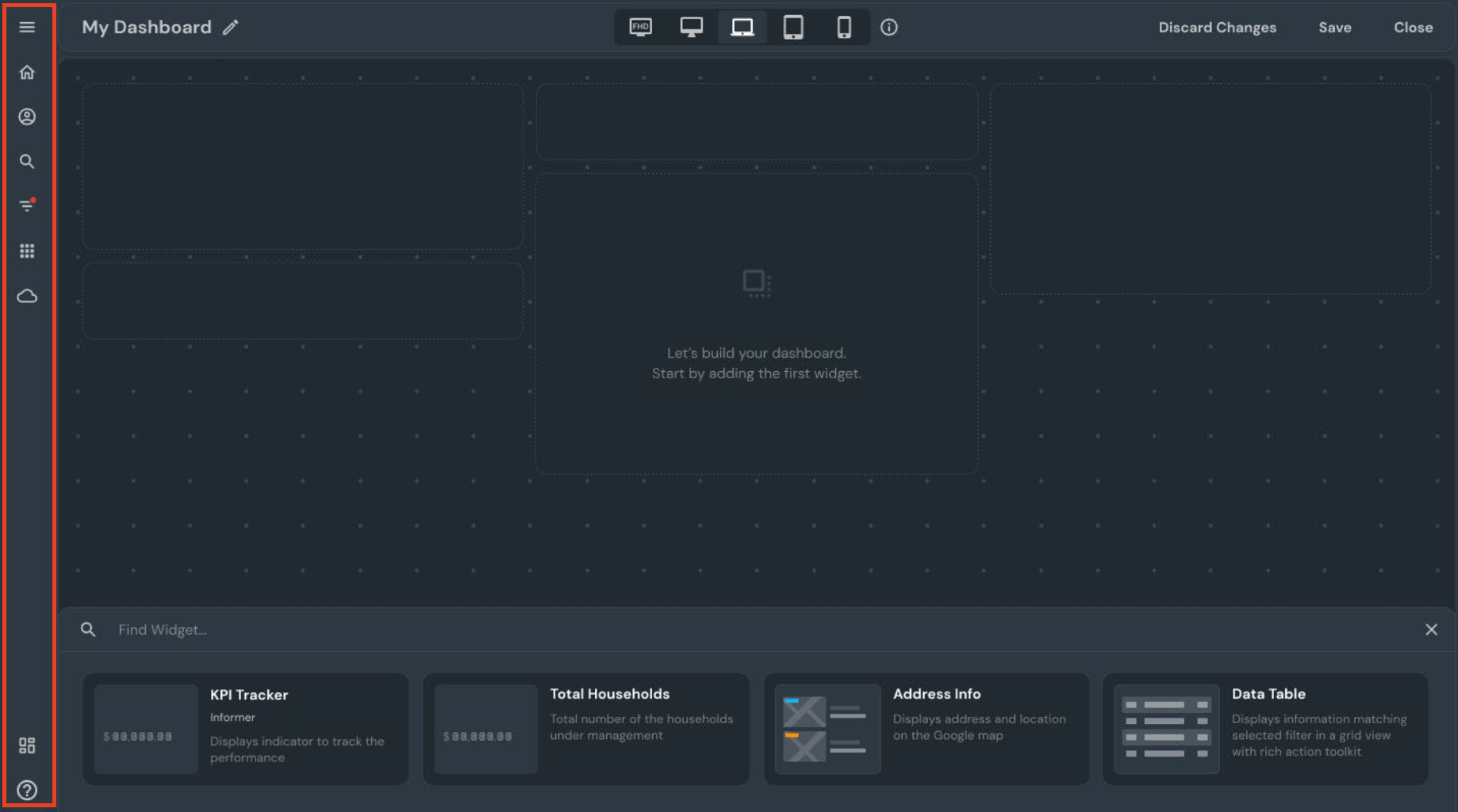
All Platform widgets have slots, and each slot has a fallback. A fallback is a reaction of the Experience Builder that launches pre-written Platform widgets if the customer does not have customized ones or if the platform encounters an unexpected widget behavior. Read more on fallbacks usage here.
Find the more detailed description of widgets in the Widget Store API articles.
Extensions
The Host Application offers standard functions and APIs to work with different services, protocols, and external functions. The Invent R&D team has implemented the most used and necessary ones. However, a particular client's project may need to expand the standard platform and widget functionality. For example, all widgets may need to receive messages through a non-standard protocol or interact with an uncommon service that is not included in the platform. Here, Extensions come into play, extending the system's functionality and making it available to the widgets.
In terms of the Host Application, Extensions are widgets with no interface (graphic visual side) and (optional) server side. The metadata is stored in the BfF (Backend for Frontend).
Find the more detailed description in the Extensions article.
API Providers
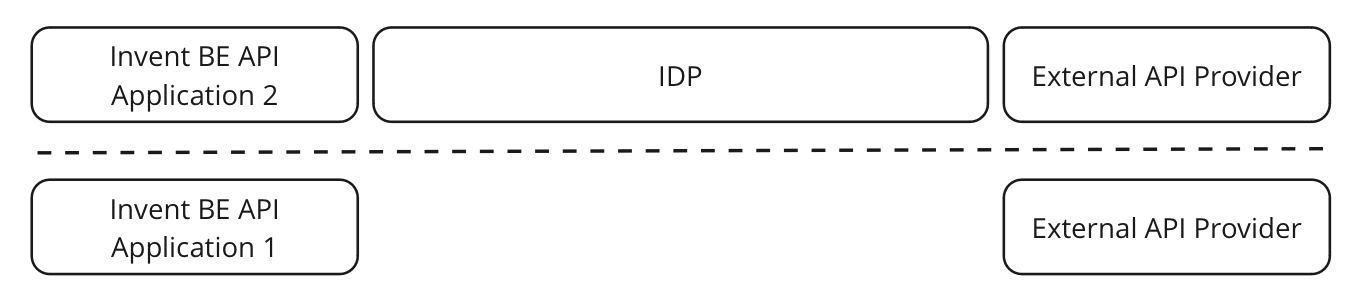
API Providers are all the means of communication between Widgets, Platform Widgets, and any functionality in the Invent Cloud Platform that can communicate through an API.
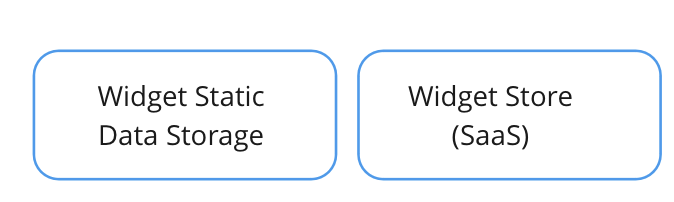
Widget Static Data Storage and Widget Store
The Widget Static Data Storage is an Azure block storage used for storing static data for each widget, which is a single-page application (SPA) consisting of HTML, CSS, and Javascript. The Host Application can access this data from the Widget Static Data Storage, making it an ideal place for storing static files, without any dynamic or configuration data.
The Widget Store works as a navigational tool for the Host Application, helping it locate where to download static data from. Additionally, it can also specify if a widget is purchasable, available, public, or private.
Widgets that can be accessed before authentication are classified as public, such as a login form. In contrast, widgets that are accessible only after authentication are classified as private.
BfF
BfF is a customization server that meets the needs of the Host Application. Find more on BfF in the BfF Overview article.
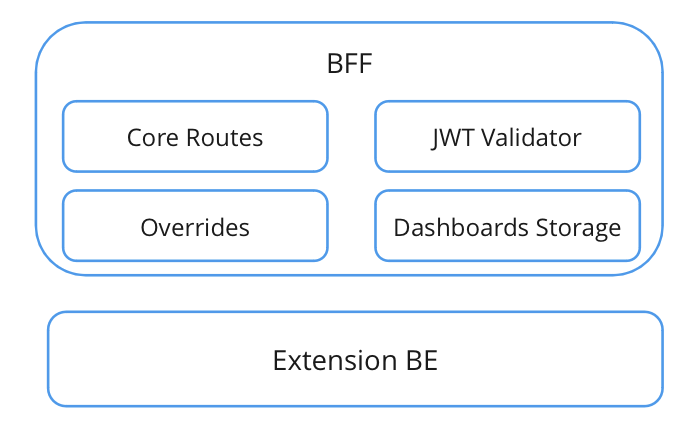
BfF consists of the following elements:
Core-Routes
Core-Routes are mandatory routes that are required to be implemented in the platform. Find the list in the BfF Specification.
Overrides
The Overrides functionality enables modification of the standard route behavior. For instance, the standard route takes into account the token/session data and returns the relevant dashboards depending on the user's role. However, with Overrides, we can craft a new route that returns all dashboards, thus providing us with the ability to finely adjust the BfF behavior by introducing new routes and rewriting existing ones.
JWT Validator
The platform uses JWT Token as the default option. This token is a programming standard designed to encrypt and validate a user for security purposes. Such functionality is provided by the JWT Validator.
Dashboard Storage
The Dashboard Storage is the repository of dashboard objects. MongoDB is used by default, but any other storage can be selected as well based on the client's requirements (it is essential that it should be able to provide CRUD operations for dashboards).
Extension BE
The Extension BE carries out server functions to extend the standard Host Application functionality. It is an optional feature.
IDP
IDP stands for Identity Provider. It is a service that stores and manages user information, usually for use in authentication and authorization processes. IDPs are used to enable single sign-on (SSO) solutions, which allow users to access multiple applications with a single set of credentials, like a username and password.
Backend
Invent Cloud Platform is backend independent, however, Invent Backend side is highly recommended to use.